





Digital Banking
Access and manage your accounts anytime, anywhere from your phone or tablet.
Welcome First Flight Members!
Members of First Flight are invited to take advantage of First Flight’s digital banking offerings. With First Flight Digital Banking, you can enjoy a variety of digital services, including Mobile Banking, Bill Pay, Transfers, eStatements, and loan applications.
How to Register/Enroll in First Flight Digital Banking:
- Click the “Register for Digital Banking” button below
- From there, you can fill out the form to register for Digital Banking access. Once this step is complete, you will be able to create a username and password to access your account online. If you need assistance with your Digital Banking registration, please call Member Support at 1-800-807-0766, option 5, during business hours, or contact support@FirstFlightCU.com and request a call back during business hours.

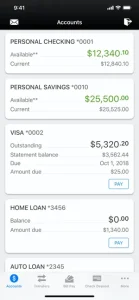
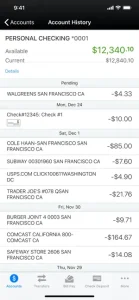
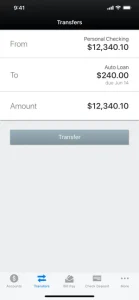
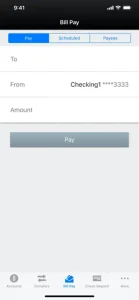
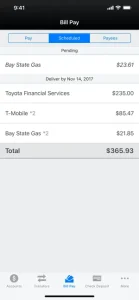
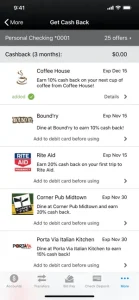
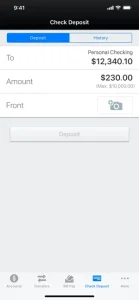
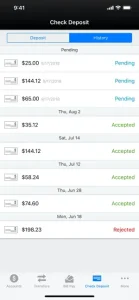
First Flight Mobile App
How to Download the First Flight App:
- iPhone App – Click here to download First Flight’s iPhone app from the iTunes store. You can also search for “First Flight” within iTunes or from the App Store on your mobile device
- Android app – Click here to download First Flight’s Android app from the Android Marketplace. You can also search for “First Flight” within the Android Market on your mobile device
- iPad App – Click here to download First Flight’s iPad app from the App Store or search for “First Flight” from the App Store on your iPad


Digital Banking services
First Flight Members can manage their personal banking digitally. View transactions, transfer funds, and manage accounts from any computer or mobile device 24 hours a day, 7 days a week.
Benefits of Digital Banking:
- View savings, checking, and loan balances as well as account transactions and processed checks online
- Transfer funds among accounts and schedule future transfers and recurring transfers
- Text Message Banking
- Person-to-person payments
- Funds Transfer
- Update your contact information
- Process stop payments on non-cashed checks

Digital Banking text commands/alerts
You can use text messages to perform the most common online transactions. Just register your cell phone within online banking, click the Additional Services tab and you’ll be on your way!
Text commands
Use any of the following commands/keywords:
- BAL = Primary account balance
- BAL ALL = All account balances
- BAL CHK = Checking account balances
- BAL SAV = Savings account balances
- LAST = Last five transactions
- TRANS $$ = Transfer specified fund amount to primary account
- STOP = Deactivate service
- HELP = Help on keywords
Commands are not case sensitive. For example, you can type “help” or “HELP.”
Receive text alerts
Text Banking can automatically send alerts to you:
- Large withdrawal alerts – a notification if an account has a withdrawal exceeding a specified amount.
- Low balance alerts – a notification if your primary account balance falls below a specified amount
Digital Statement enrollment
Once you have signed up for First Flight Digital Banking, follow the steps below to select digital statements:
- Log in to the Digital Banking portal using your username and password
- Click on the “Additional Services” link and choose “eStatements/eNotices”
- Follow the on-screen instructions to change your delivery options from U.S. Mail to eStatements/eNotices
- Alternatively, you may reach out to Member Services or visit your local branch
Why enroll?
Safeguard your personal information by receiving your financial statements and notices online instead of through the mail:
- Secure access: Your statements and notices will be located within Digital Banking
- Easy access and retrieval: Your statements and notices will be stored for up to 24 months
- We’ll notify you: You will receive an email notifying you when your statements or notices are available
- Instantly save your digital information to your computer, eliminating boxes and file cabinets